To make a wedding seating plan, wait until your RSVPs are in, get the room layout and table sizes from your venue, and sort your guests into groups. Seat the top table and close family first, then fill the other tables group by group. Aim to finish one to two weeks before the wedding so your venue, caterer and printer have what they need.
Most couples put the seating plan off because it feels like one giant puzzle. It's really a sorting job. Once your guests are in sensible groups, most tables fill themselves, and you're left with a handful of tricky people to place by hand.
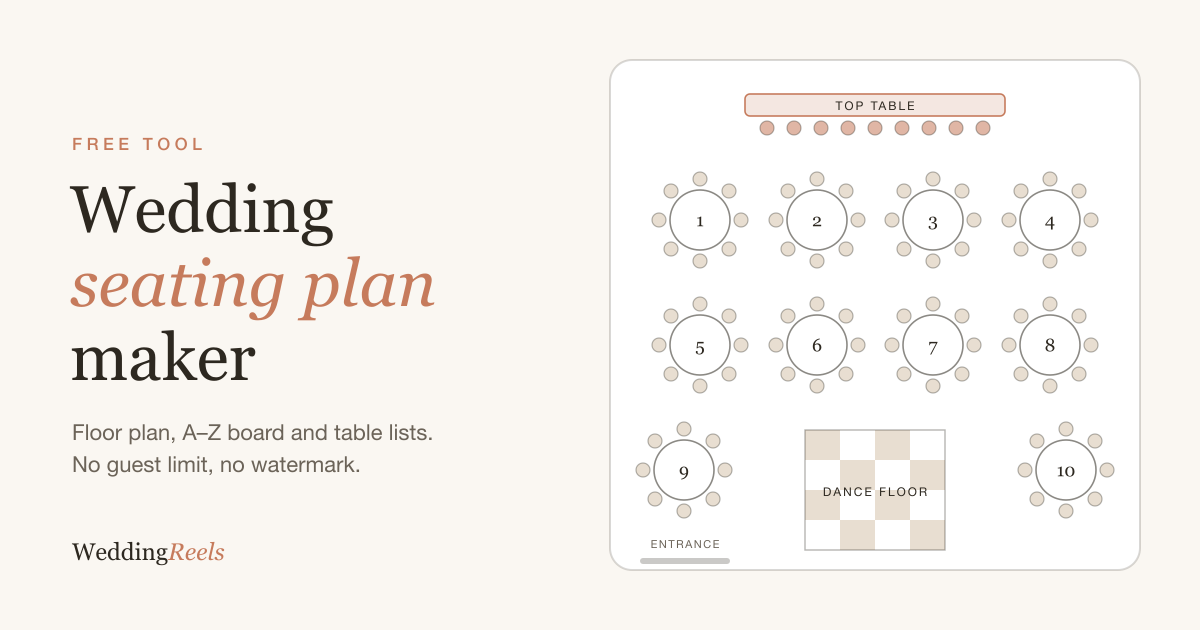
You can do all of this in our free wedding seating plan maker: drag tables onto a floor plan, import your guest list and print the boards at the end. The steps below work just as well on paper or in a spreadsheet.
What you need before you start
- Your final guest list, with RSVPs and meal choices
- The room: your venue's floor plan, how many tables they have and what sizes
- Your "must" and "must not" list: people who need to sit together, and people who really shouldn't
- An hour with your partner where nobody is allowed to say "we'll sort it later"
Step 1: Pick your timing
Start once your RSVP deadline has passed, which is usually four to six weeks before the wedding. You can sketch rough groups earlier, but you'll redo the plan every time someone's plus-one changes, so don't seat individuals until the replies are in.
Finish one to two weeks before the day. That's when most venues want final numbers, caterers want meal choices by table, and whoever prints your seating chart needs the final names.
Step 2: Draw the room
Ask your venue for their floor plan and draw it first: walls, doors, the bar, the dance floor, pillars and anything else that can't move. Then mark where the top table or sweetheart table goes, usually facing the room with a clear view for everyone.
Note the spots nobody wants: next to the kitchen doors, right in front of the speakers, behind a pillar. You'll use them last, and for guests who won't mind.
Step 3: Choose your tables
Round tables are the classic choice because everyone can talk to everyone. Long tables fit more people into a narrow room and feel more like a family dinner. Many weddings mix the two.
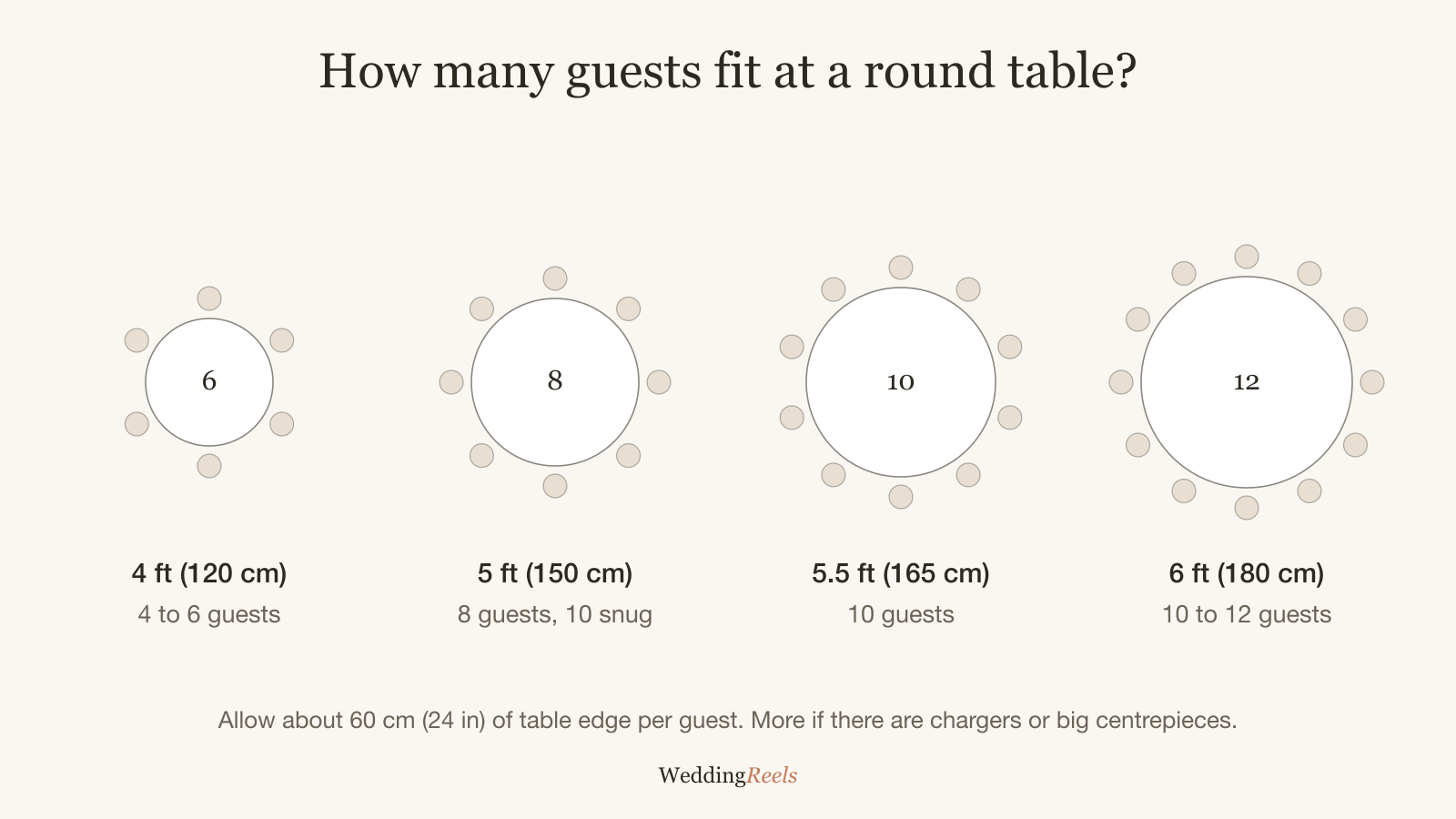
As a rough guide, a 5 ft (150 cm) round seats 8, or 10 if snug, and a 6 ft (180 cm) round seats 10 to 12. There's a full breakdown in our guide to how many guests fit at a wedding table.
Divide your guest count by the seats per table and round up, then add the top table. For 100 guests with an 8-person top table and tables of 10, that's 92 ÷ 10 = 9.2, so 10 tables, with a few seats to spare.
Step 4: Sort guests into groups
This is the step that saves you hours. Put every guest into a group:
- Bride's family and groom's family (or each partner's family)
- School friends, university friends, work friends
- Neighbours, family friends, the sports club
Couples and families move as one unit. If you're importing a spreadsheet, add a "party" column so partners and children stay together when you seat them.
Step 5: Seat the top table and close family
Start with the people whose seats matter most: the top table, then parents, grandparents and anyone giving a speech. Put close family near the front so they can see you, and keep speech-givers within easy reach of the microphone.
If you're doing a traditional top table, our top table seating guide has the usual order and the modern alternatives.
Step 6: Fill the tables group by group
Now give each group a table, starting with the biggest. Ten university friends? That's a table. Seven cousins and their partners? Another one.
Small groups and leftovers go last. The rule that matters: every guest should know at least two other people at their table. Two smaller groups who'll get on (your work friends and your partner's work friends, say) often make a better table than one group split in half.
Step 7: Sort out the tricky ones
Every plan has a few: divorced parents, the friend who doesn't know anyone, the uncle who shouldn't sit near the bar. Handle these deliberately, not by whatever seat is left. Our seating plan etiquette guide covers the most common situations.
Step 8: Get a second opinion
Show the plan to both sets of parents, or whoever knows the family politics best, before you print. They'll spot the cousin who fell out with another cousin at Christmas. Better to hear it now than at the reception.
Step 9: Print what everyone needs
Different people need different versions of the same plan:
- Your guests need a seating chart at the entrance. An A–Z board listing everyone by surname is the fastest for guests to read.
- Your venue coordinator needs the floor plan with table numbers.
- Your caterer needs a list by table with meal choices and dietary needs.
- Each table needs a table number or name card, and place cards if you're assigning seats.
The free maker downloads all of these: a floor plan PDF, an A–Z guest list, a by-table list with meals for the caterer and a CSV for your stationer.
Common seating plan mistakes
- Starting too early. Plans built before RSVPs come back get rebuilt three times.
- Filling every seat. Leave one spare seat on a few tables for last-minute changes.
- Forgetting the suppliers. Your photographer and videographer usually need a seat and a meal. Ask them where they'd like to sit.
- Seating by obligation. The reception is a long evening. Seat people where they'll have fun, not where they "should" be.
- Hiding the chart. Put the board where guests arrive at the reception, in good light, with room for a few people to stand in front of it.
Spreadsheet or seating plan tool?
A spreadsheet works for small weddings. Past about 60 guests, a visual plan saves time, because you can see the room, keep couples and families together as you move them, and print the boards without retyping names. Whatever you use, follow the order above. The tool matters less than doing the groups before the seats.